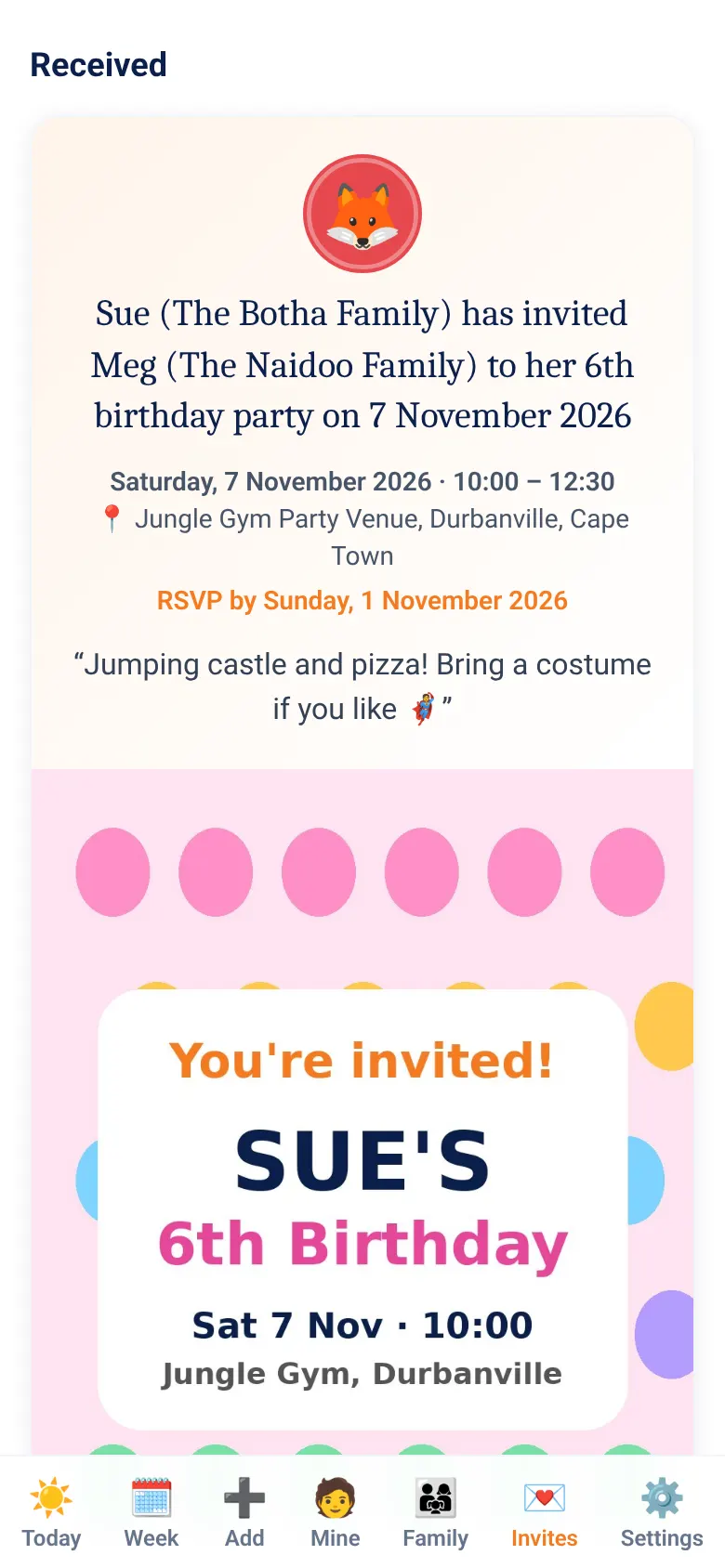
Meg (the Naidoo family) has invited Sue (the Botha family) to her 5th birthday party on 19 November 2026
Stop phoning to ask who's picking up.
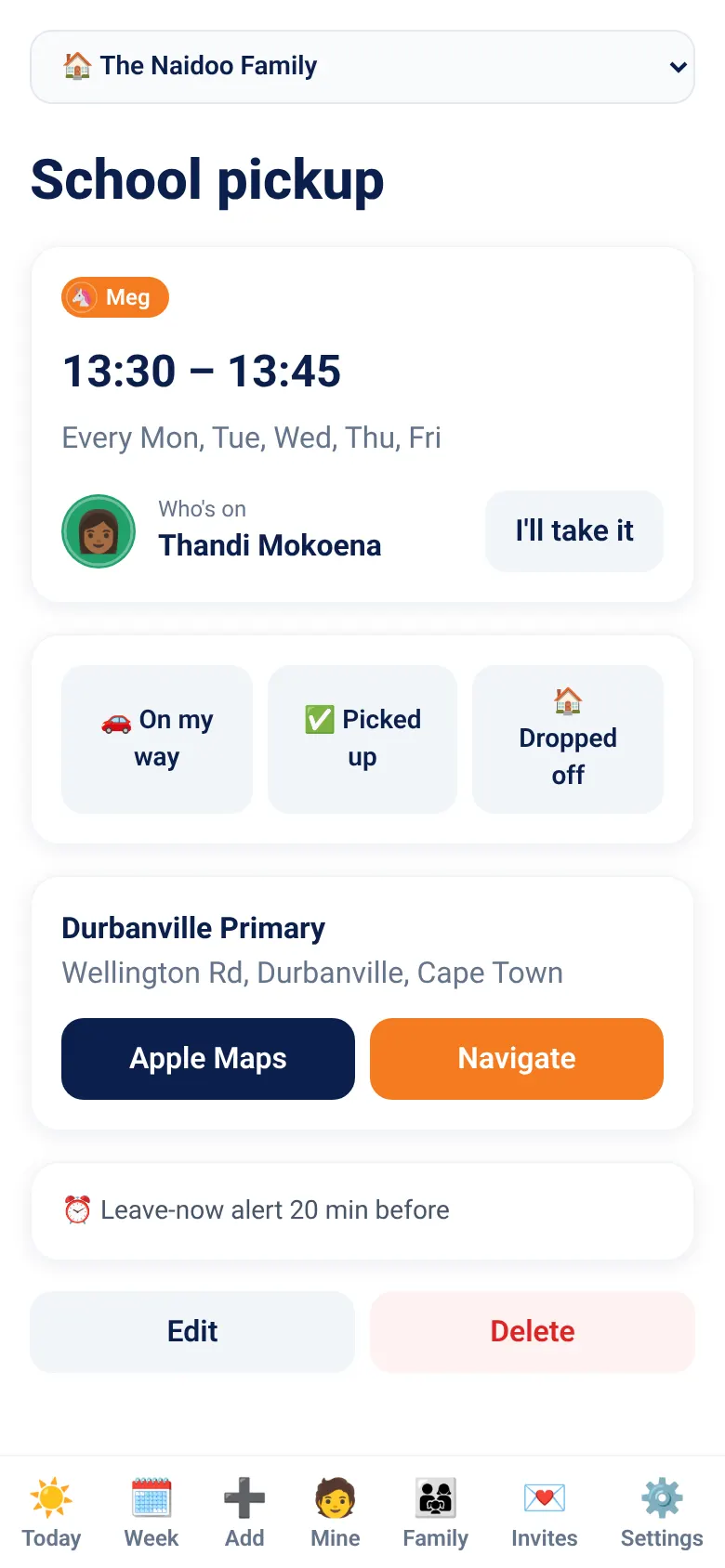
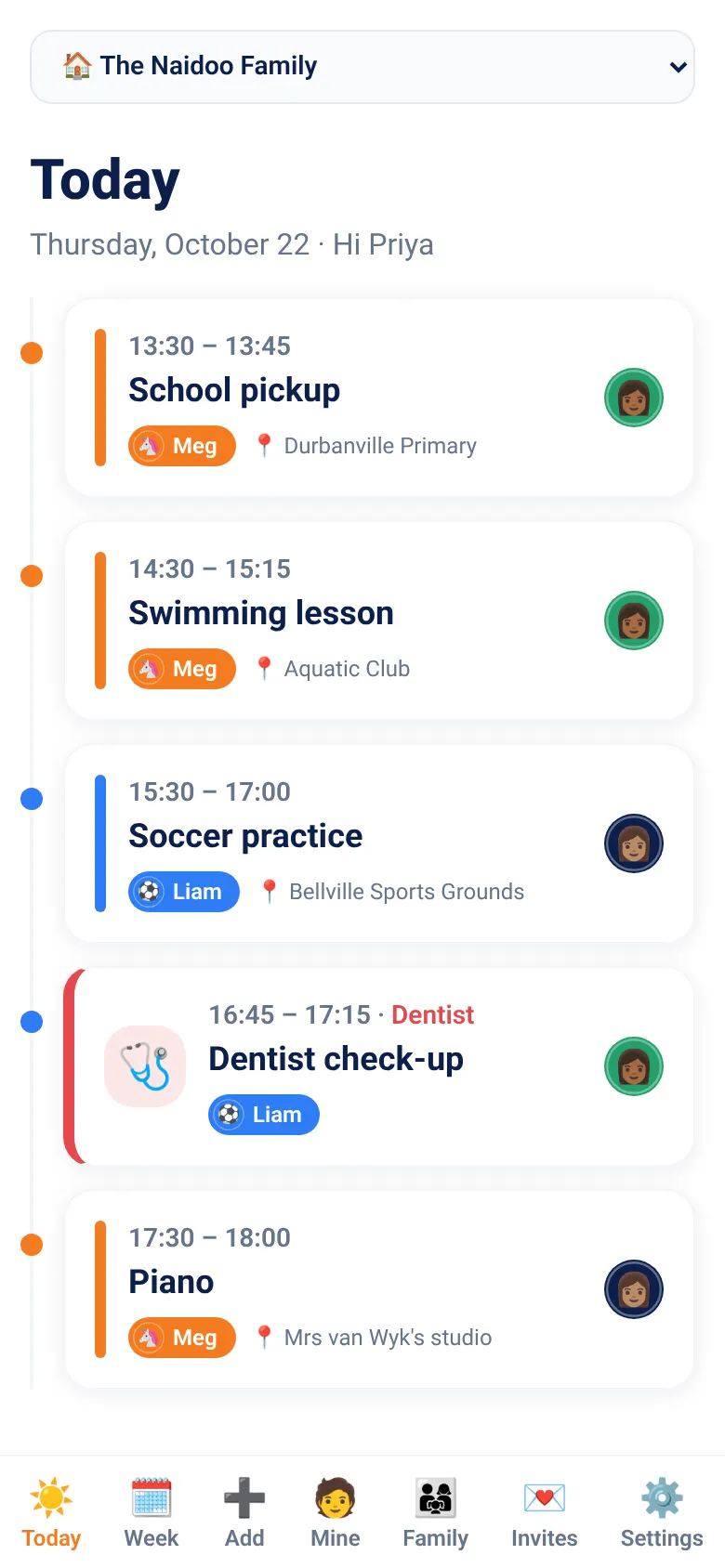
One shared schedule with one name on every pickup, lesson and appointment. Everyone gets a reminder when it's time to leave, and the family sees each check-in as it happens.
- 07:20Meg · School drop-offDad is on
- 14:30Sam · SwimmingThandi (nanny) is on
- 15:45Meg · DanceGranny is on
- 17:00Sam · DentistMom is on
Everyone knows who's on
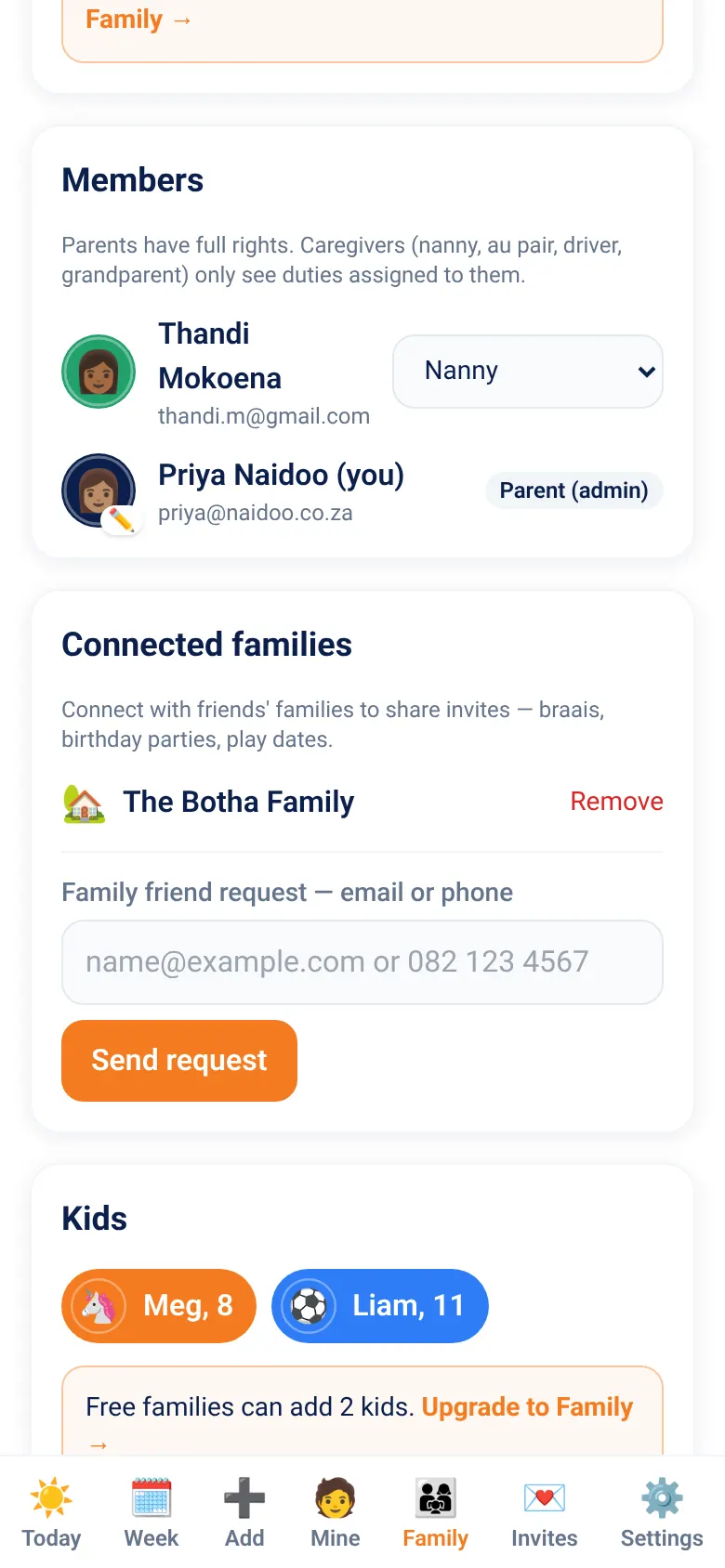
Parents, nannies, au pairs, drivers and grandparents each have their own login. Caregivers only see the duties they're on.
Shared family schedule
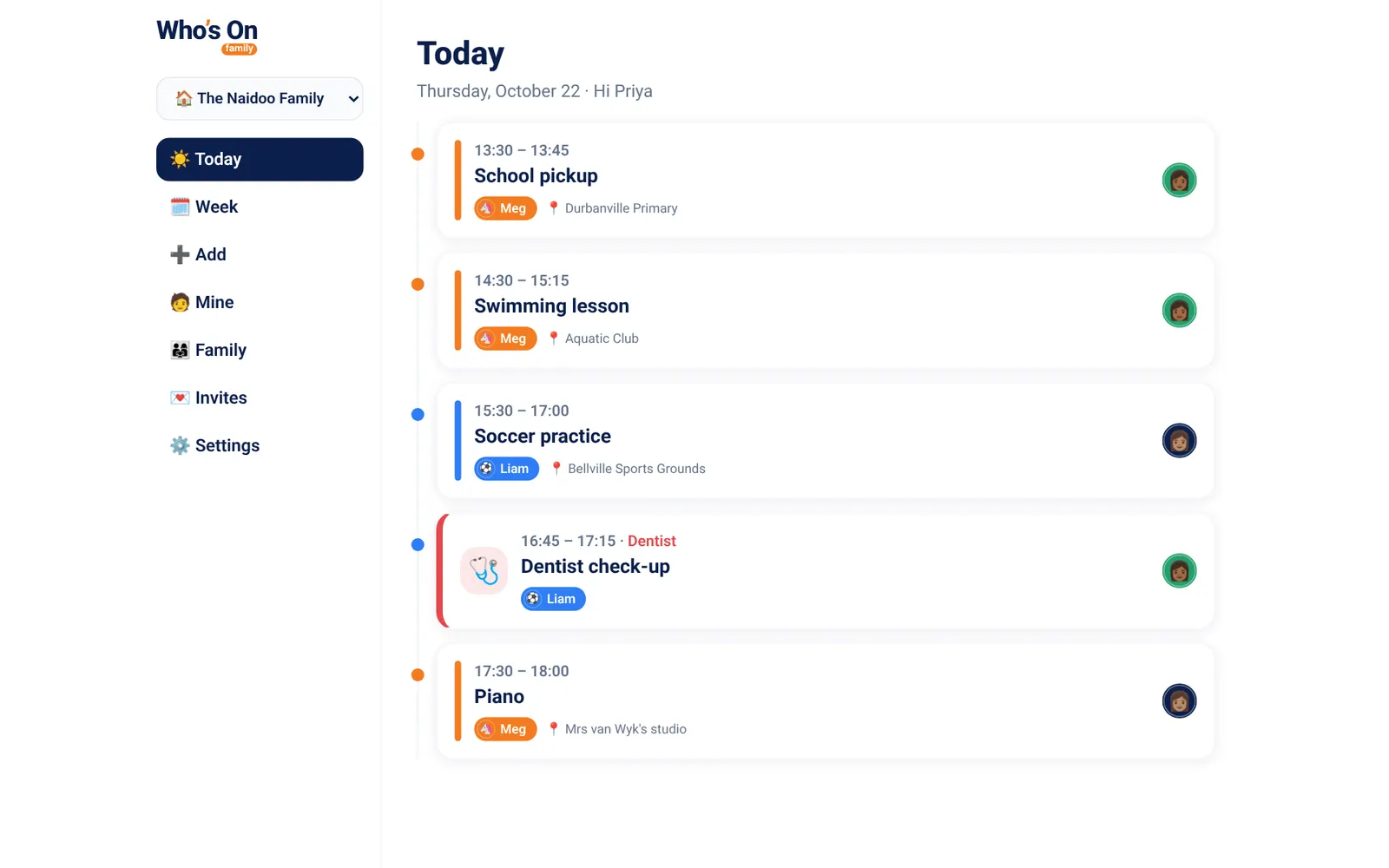
Every lesson, practice and pickup in one place — Today timeline and Week view for the whole household.
Who's on
Each duty has one person on it. Parents, nanny, au pair, driver or grandparent — everyone knows who's taking whom.
Leave-now reminders
A nudge X minutes before it's time to leave, on every phone. Day-before reminders for appointments.
Live check-ins
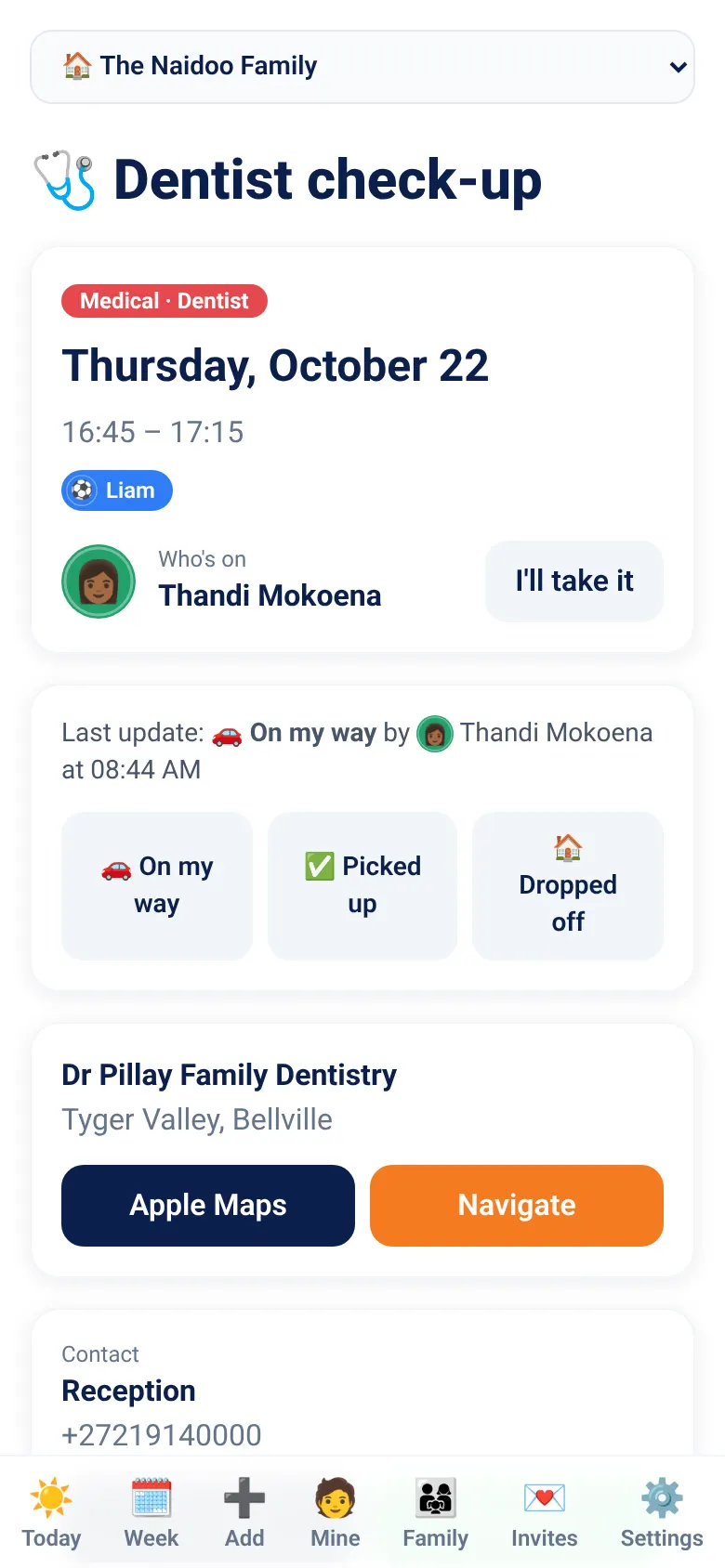
“On my way”, “Picked up”, “Dropped off” — the family is notified, so nobody has to phone.
Appointments & events
Doctor, dentist, exams, driving school, parties with RSVP and gift notes, matches — all once-off, all tracked.
Handovers
“Can you take this?” — ask someone to swap a duty; they accept or decline in one tap.
Try it: one tap for each kid's week
Tap a child to see their week and who's on for each duty. Then switch on school holidays: term-time activities pause by themselves and come back when school starts again.
Demo data. In the app it's your own family.
An afternoon without a single phone call
Leave-now reminders go to the person who's on. Check-ins go to everyone. On iPhone, auto check-ins can even notice the pickup for you, but only if you opt in.
- Leave-now reminder Granny's phone
15:25 · Granny gets a nudge: time to leave for Meg's Dance.
- On my way Everyone
15:27 · The family sees Granny's on the way, with an ETA.
- Picked up Everyone
15:46 · “Looks like you picked up Meg — correct?” One tap.
- Dropped off Everyone
16:10 · Home safe. Nobody had to phone anybody.

See the real app
These are real screens from Who's On. It's the same app on your phone and in your browser.


Built for real families with busy schedules
Keep track of who's on for every school run, activity and play date, whether that's one household or several. Message the coach in one tap, navigate with Google Maps, Apple Maps or Waze, and tap “Picked up” instead of making a phone call.
Create your familyMore ways Who's On helps
There's more beyond the school run: invites, calendar sync, school holidays, maps and your iPhone Home Screen.
Family connections & invites
Connect with friends' families, invite a whole household or one child, attach your own invitation, and collect RSVPs — even from families without the app via WhatsApp.
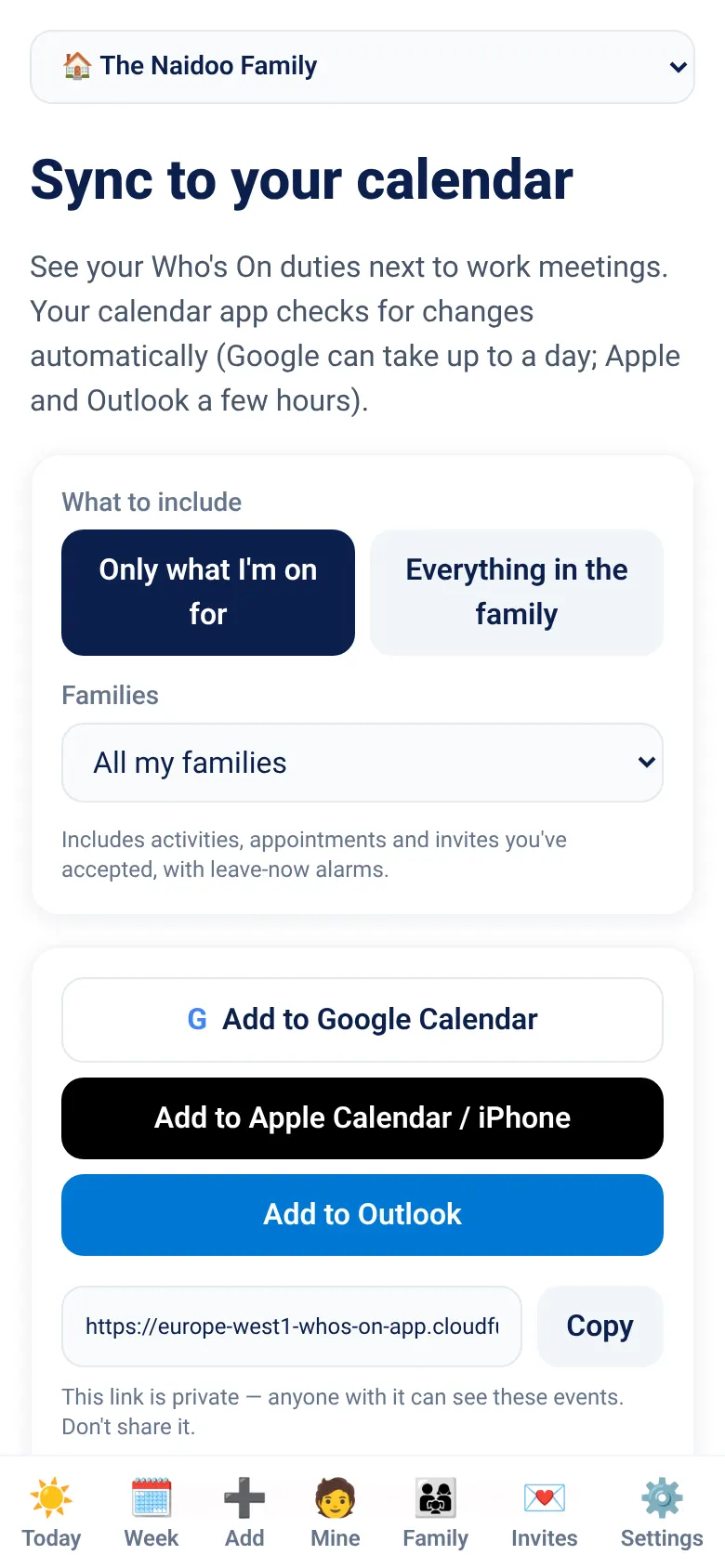
Sync to your calendar
One tap to add your duties to Google Calendar, Apple Calendar or Outlook — only yours or the whole family, with leave-now alarms and accepted invites. On iPhone, Who's On can also keep a “Who's On” calendar in sync and warn you about clashes with your own calendar (opt-in, stays on your phone). Private link you can revoke anytime.
School holiday calendars
School holiday calendars (South Africa preloaded, add your own). Pause activities in the holidays and see a heads-up on Today — your calendar feed and reminders follow along.
Saved places & maps
Save school, studio and Granny's once, drop a pin on the map, and reuse it everywhere. Open in Google Maps, Apple Maps or Waze; leave-now alerts can use travel time from home.
Auto check-ins (iPhone)
Opt in and your iPhone notices when you reach the pickup — “Looks like you picked up Meg — correct?”. Only you, only for your pickups; your location stays on your phone.
Widgets, Live Activities & Siri
Each kid's next pickup on your Home Screen with one-tap check-ins, a Live Activity with ETA on the way, and “Hey Siri, I've picked up Meg”.
Invite the whole village.
Birthday parties, BBQs and play dates — connect with your friends' families, send proper invitations and see who's coming, without the endless group chat.
Family friend requests
Connect with friends' families by email or mobile number. They accept or decline — and we never reveal whether someone already has an account.
Invite the whole household
Weekend BBQ? Invite the entire Botha household in one go. Everyone gets the invite and the family RSVPs together.
…or one specific child
Meg invites Sue to her 5th birthday. Sue's parents RSVP, and the party lands in their calendar with Sue on it.
Your own invitation card
Attach the invitation you designed — an image or PDF up to 10 MB. Only the host family and invitees can see it.
RSVP now or later
Going, maybe or can't go, with a headcount. Tap RSVP later and we'll remind you before the deadline. Hosts see the guest list live.
Friends without the app
Share a private link on WhatsApp. They see the invitation, RSVP with just their name, and can tap Join Who's On.
Included on Free and Family plans.
Meg has invited you to her 5th birthday party on 19 November 2026 (RSVP by 10 November). View the invitation and RSVP:
whosonfamily.com/i/••••••
How it works
- 1
Connect families
Send a family friend request by email or cell number — or share the link on WhatsApp.
- 2
Send the invite
Pick the event, invite a whole household or specific kids, add an RSVP-by date, a message and your invitation card.
- 3
Watch the RSVPs roll in
Families RSVP in the app or via the link. Accepted invites go straight into their calendar — with reminders.
Simple pricing
Free for small families. Family members always join free.
Free
- ✓ Up to 10 items (a repeating activity counts as 1)
- ✓ Schedules run up to 2 weeks
- ✓ Unlimited family members
- ✓ Leave-now reminders & check-ins
Family
- ✓ Unlimited activities & events
- ✓ Schedules that keep repeating
- ✓ School holiday calendars
- ✓ Saved places & calendar sync
- ✓ Family connections & invites
Tonight, set up tomorrow's pickups
It takes five minutes, and you can invite the nanny and the grandparents as you go.